
designlang for Chrome
See a site's palette, fonts and tokens without leaving the tab. Save it to your projects when it's worth keeping.
A quick look now. The real read when you save.
The toolbar popup reads the page you are on and shows its colours, type and a few tokens straight away, using the same ideas as the engine. Nothing leaves your browser for that. Hit Save and designlang reads the page properly on our servers, spends one credit and adds it to your projects.
Install it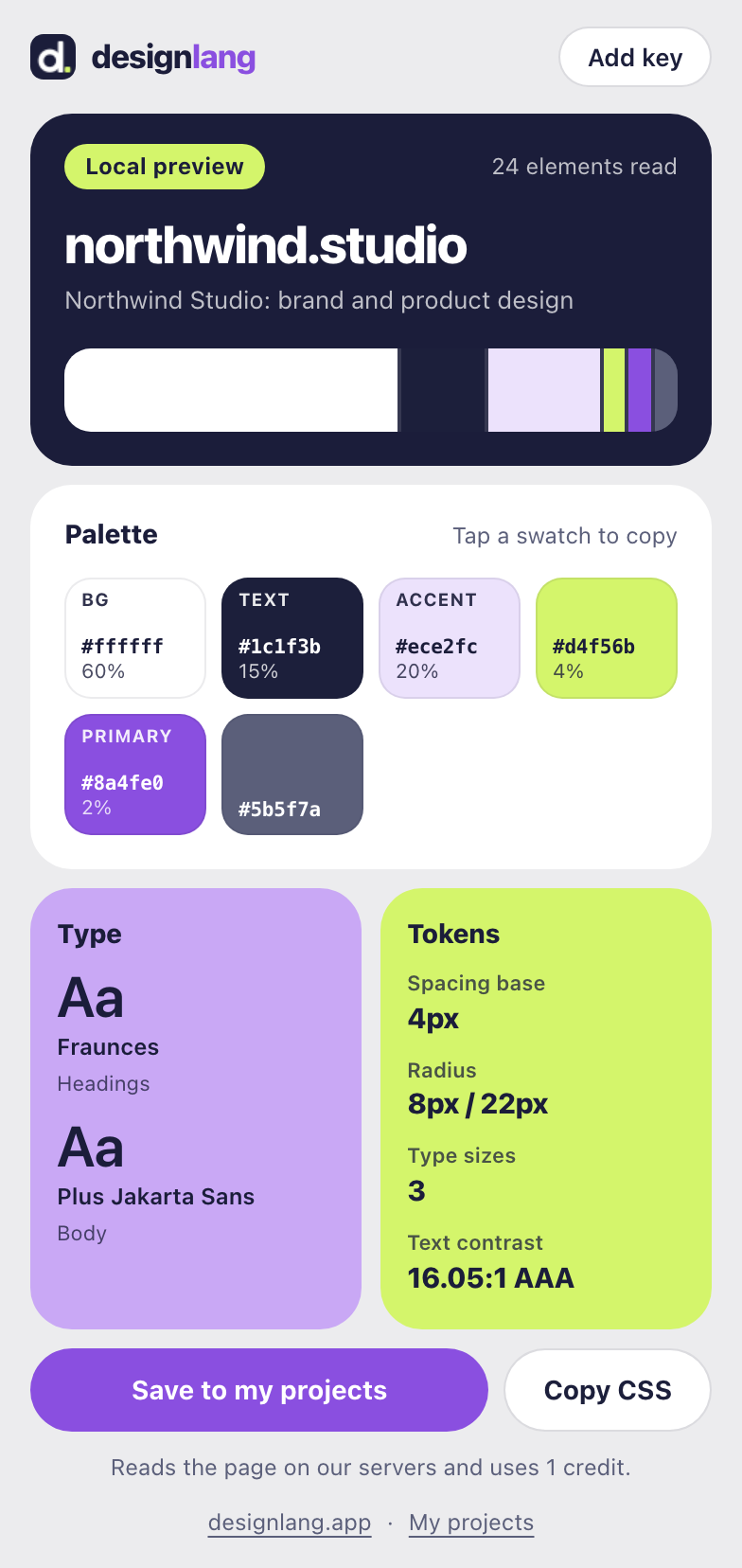
Install in three steps
Load the extension
The Chrome Web Store listing is coming. Until then, open
chrome://extensions, switch on Developer mode, choose Load unpacked and pick thechrome-extensionfolder from the designlang repository.Make a key
Sign in below and make a key. It starts with
dlx_and is shown once. Click the toolbar icon, then Add key, and paste it.Save a site
Open any public website, click the designlang icon and press Save to my projects. The result links straight to the new project.
Your extension keys
What it looks like
Instant preview
Palette, fonts, spacing base, radii and text contrast, read from the tab. Tap a swatch to copy it, or copy everything as CSS variables.
Saved to your projects
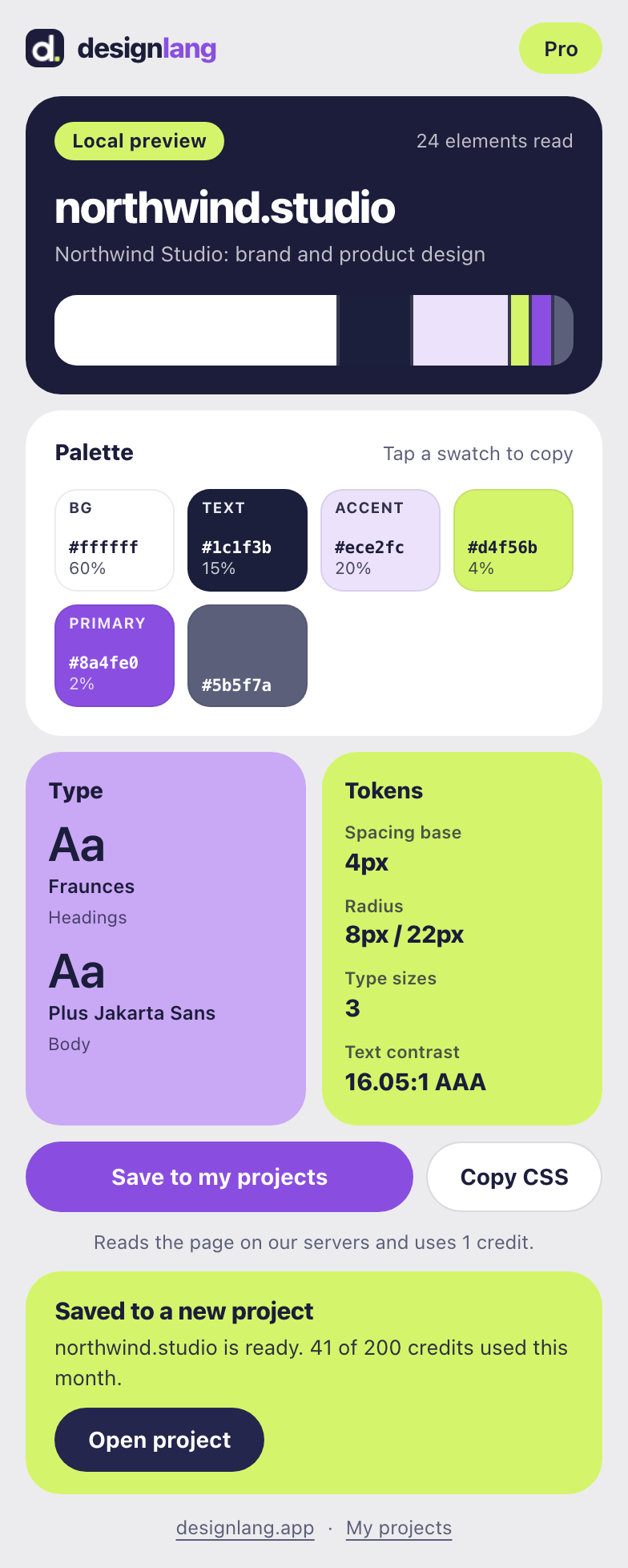
One credit, one real extraction, and a link to the project where every future version of the site will sit.
Connect once
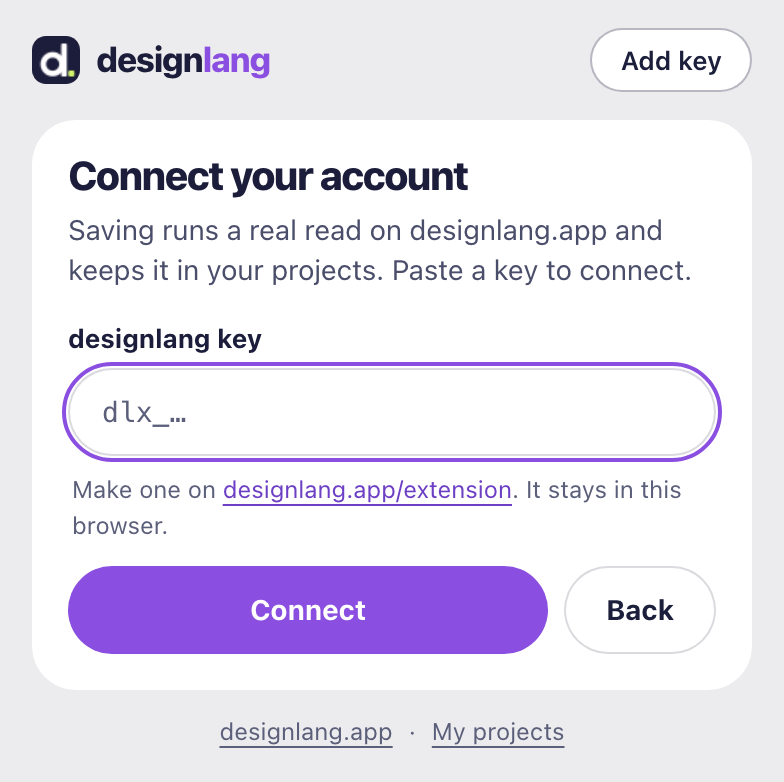
Paste your key. It stays in this browser (
chrome.storage.local) and can only save sites to your projects.
What it can access
- activeTab: the page you opened the popup on, only while you use it.
- scripting: runs the page reader on that tab. No install warning, no always-on scripts.
- storage: keeps your key in this browser.
- api.designlang.app: the only site it talks to.
What it costs
The preview is free and local. Saving uses one credit, the same as running the site on designlang.app: 3 free runs, then 200 credits a month on Pro. If the read fails, or nothing changed since your last save, the credit comes back.